Avoid 'One-Shot' Prompts
Static, massive prompts are brittle. Instead, design your assistant to work through complex tasks in smaller, logical steps for higher reliability.
Custom AI solutions
Learn how to build a secure, reliable custom AI assistant for your business. Follow our practical, step-by-step framework to automate workflows and scale operations.
Building a custom AI assistant is more than just deploying a chatbot; it is about creating a specialized digital agent that understands your company’s unique data, workflows, and communication standards. Unlike general-purpose tools, a custom AI solution is architected to perform specific operational tasks—such as automating document retrieval, processing customer inquiries, or extracting data from complex internal logs—without the risks of broad, uncontrolled model behavior.
For most businesses, the transition to AI-driven operations fails when companies try to force a generic LLM to solve nuanced internal problems. By developing a tailored assistant that is grounded in your actual business context and integrated into your existing tech stack, you ensure the output is consistent, reliable, and secure. This approach transforms AI from a novelty into a durable, value-generating asset that scales alongside your team.
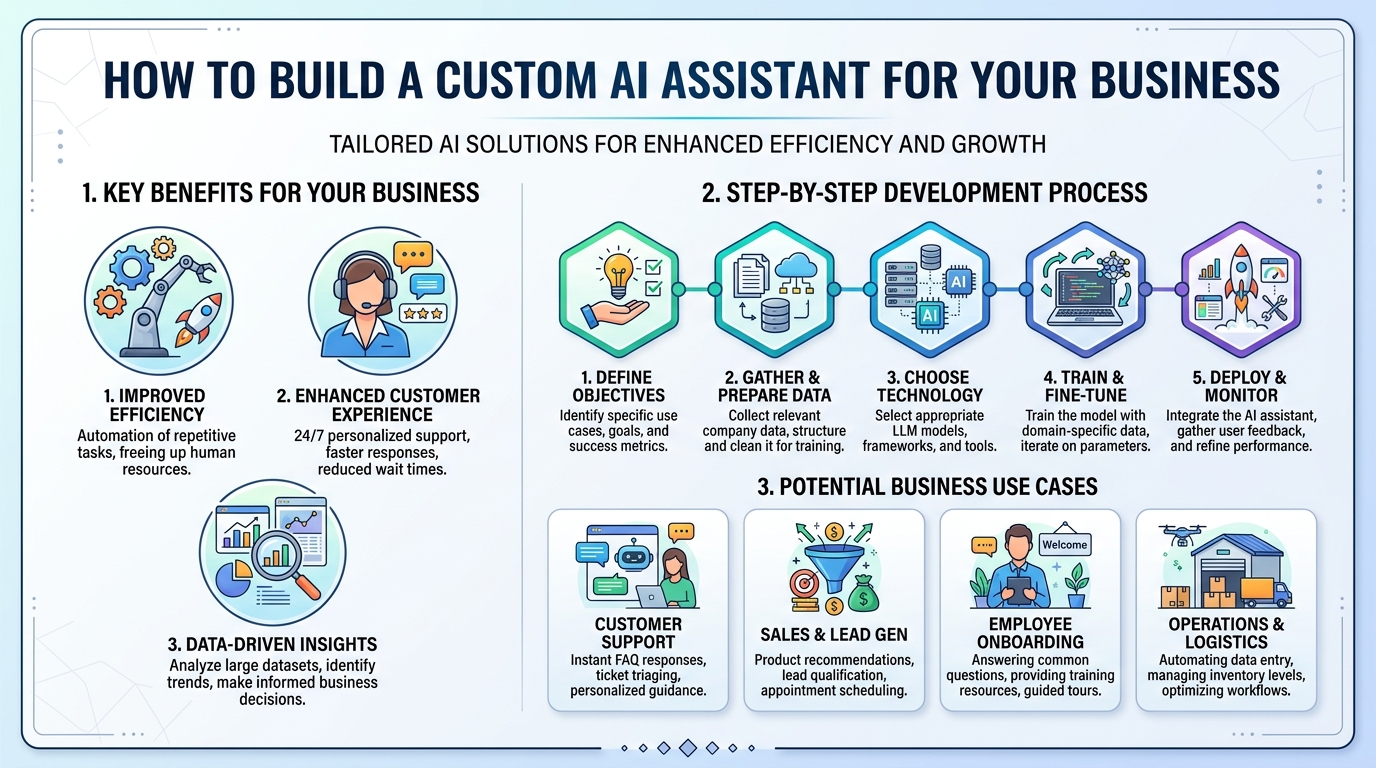
Don't start with the technology; start with a single, repeatable task that drains employee time. Focus on areas involving high-volume document processing, repetitive customer queries, or fragmented data retrieval.
Your assistant is only as effective as the data it accesses. Organize your internal documentation, standard operating procedures, and historical datasets to ensure the AI operates on accurate, current information.
Determine how the AI will connect with your existing tools, such as CRM systems or cloud storage. Establish strict access controls and data privacy protocols to ensure sensitive business information remains protected.
Build a pilot version of the assistant designed for a limited group of users to test its accuracy. Use this phase to refine the AI’s core instructions and verify that it adheres to your specific business logic.
Treat your assistant like a new employee that requires coaching. Gather real-world performance data, identify where it falls short, and adjust its guidance to improve its decision-making over time.
Static, massive prompts are brittle. Instead, design your assistant to work through complex tasks in smaller, logical steps for higher reliability.
An assistant that lives in a separate window is often ignored. Integrate your AI directly into the platforms your team uses daily, such as Slack, email, or your internal dashboard.
Don't just test the ideal scenarios. Stress-test your assistant with complex, ambiguous, or incomplete data to see how it handles errors before the full rollout.
Turn a business workflow into a working AI product without a long agency process.
Ready to build? Get in touch